Beatway
What Is BPM in Music? How to Find a Track's Tempo
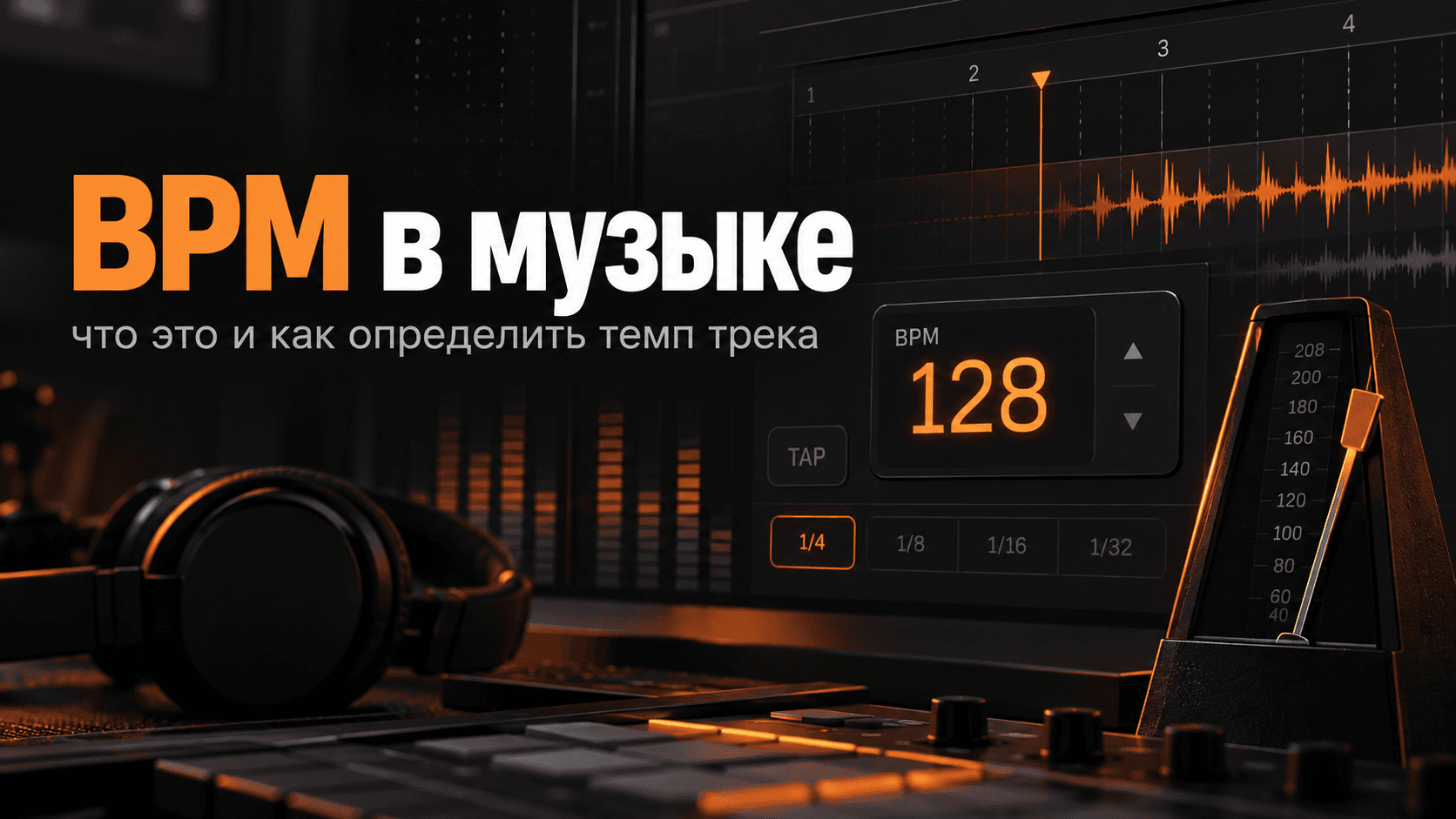
BPM is one of the first numbers a beatmaker sees beside a track: 90 BPM, 120 BPM, 140 BPM. It describes tempo, which affects the feel of the music and an artist's flow.
What BPM means
BPM stands for beats per minute.
60 BPM: one beat per second.90 BPM: ninety beats per minute.120 BPM: two beats per second.140 BPM: a faster grid, often used in trap and electronic music.
A higher number means a faster underlying pulse, but perceived speed also depends on the rhythm. A beat at 140 BPM can feel like 70 BPM when the drums use a half-time pattern.
BPM describes the project's timing, not necessarily how energetic the music feels.
Why beatmakers need BPM
Knowing the tempo helps you:
- Synchronize samples.
- Set delays and other timed effects.
- Record vocals.
- Choose references.
- Match tracks.
- Find suitable instrumentals.
- Hand a beat to an artist or engineer.
When selling instrumentals, include BPM and key in the track details. For example: Travis Scott Type Beat — NIGHT — 140 BPM — F# Minor.
The artist can see the basic recording information without opening your project or calculating it themselves.
How tempo affects a beat
| BPM | Possible feel |
|---|---|
| 60–80 | Slow, heavy or atmospheric |
| 80–110 | Relaxed hip-hop, boom bap or R&B |
| 110–130 | A more active groove |
| 130–160 | Trap, rage, drill and faster styles |
| 160+ | Very fast pulse or a double-time interpretation |
These are broad reference points, not genre rules. Trap can work at 120 BPM, 150 BPM or other tempos. Music does not fit neatly into a spreadsheet.
Half-time and double-time
Imagine a project at 140 BPM with a sparse snare pattern and a slow-feeling groove. Listeners may feel a pulse at 70 BPM: half the project tempo.
A double-time interpretation works the other way: the rhythmic activity feels twice as fast relative to the underlying pulse.
Two people can describe the same track as 70 and 140 BPM because they are counting different levels of the rhythm. For release metadata, use the tempo at which the DAW project was built and clarify the feel if needed.
How to find a track's BPM
1. Check the project
If you made the beat, check the tempo display in your DAW. A project reading Tempo: 142 BPM gives you the instrumental's tempo, unless tempo automation changes it during the song.
2. Use tap tempo
Play the audio and tap along with a steady pulse. A tap-tempo tool measures the intervals and estimates BPM.
Longer, steadier tapping usually produces a more stable result. A display moving through 138 → 141 → 140 → 140 suggests a tempo near 140 BPM.
3. Use an audio analyzer
BPM detectors analyze rhythmic events in an MP3 or WAV file and estimate its tempo. Search for a BPM detector, BPM finder or audio tempo analyzer.
Always check the result by listening. Half-time beats can produce readings of 70 instead of 140 BPM, or the reverse.
4. Analyze it in a DAW
- Import the track.
- Use the available tempo analysis or warp tools.
- Inspect the suggested tempo.
- Enable the metronome.
- Check whether the grid stays aligned with the drums.
If the kick and snare gradually drift away from the click, the tempo or alignment needs adjustment.
Verify the result with a metronome
Set the proposed tempo and listen for 30–60 seconds. Check that the main pulse and bar starts remain aligned.
If the beginning fits but the music later drifts, try a slightly different value—for example 139.8 BPM instead of 140 BPM.
Older recordings may have a changing tempo because they were not recorded to a fixed digital grid. A single BPM value will not describe every moment perfectly.
Finding a sample's BPM
Before fitting a loop or older sample into your project, identify its original tempo. A sample at 96 BPM needs timing adjustment to fit a project at 144 BPM.
Use time stretching or warping, and avoid changing pitch accidentally when you only want to change duration. Read more about working with samples.
BPM and key are different
BPM describes tempo. Key describes the tonal center.
In 140 BPM — F Minor, the first part is the tempo and the second is the key. Both are useful when selling a beat or collaborating with an artist.
Should BPM be in the title?
It does not have to be. On YouTube, leave room for the main description of the sound:
Future Type Beat - NIGHT | Dark Trap
Then put the technical details in the description:
BPM: 142
Key: F Minor
This keeps the title readable. For the artist and style reference, see what a type beat is.
Where to keep BPM when publishing
Store it with the title, reference artist, genre, mood, key, license terms and purchase link.
Keeping one reliable set of track details makes publishing to YouTube, a store and other channels easier. Repeatedly searching for the tempo, artwork and links turns releasing music into administrative work.
Beatway helps bring release materials into one workflow.
Common BPM mistakes
- Confusing 70 and 140 BPM in a half-time beat.
- Trusting an analyzer without checking the metronome.
- Changing sample tempo without suitable time stretching.
- Assuming a genre requires one exact tempo.
- Confusing tempo and key.
- Copying another producer's BPM into your description without checking your own project.
Before-release checklist
- Know the project tempo.
- Verify it against the metronome.
- Resolve half-time or double-time ambiguity.
- Identify key separately.
- Include BPM in the description or listing.
- Export WAV and stems from the final project version.
- Keep the title readable.
FAQ
What does BPM stand for? Beats per minute: a measure of musical tempo.
Does a higher BPM always sound faster? The pulse is faster, but perceived speed depends on the pattern. A half-time beat at 140 BPM can feel like 70 BPM.
How can I find a song's BPM? Use tap tempo, an audio analyzer or DAW tempo analysis, then verify against the grid.
Can I find BPM from an MP3? Yes. A clear rhythmic pulse matters more than the file extension.
What BPM should I use for trap? There is no single correct value. Roughly 120–160 BPM is a useful reference range, not a boundary.
Should I put BPM in a type beat title? Usually the description is a better place for tempo and key, leaving the title focused on the sound.
Next steps
Know your tempo, verify it before export and save it with the rest of the track information. When the beat is ready, prepare its visuals, description and metadata in Beatway and spend more time on the next instrumental.